

Honkai: Star Rail version 4.4 will be updated this Wednesday. Version 4.4 also has many optimizations. I believe all Trailblazers must be very excited! Let’s take a look today.
1. Character and Light Cone One-Click Level-Up
In previous versions, characters and Light Cones needed to be leveled up, ascended, then leveled up again, ascended again... repeating several times to reach max level, which was very troublesome. After the version 4.4 update, when raising character and Light Cone levels, you can enable the quick level-up function to one-click raise them to the highest level, i.e., character level 80 and Light Cone level 80.
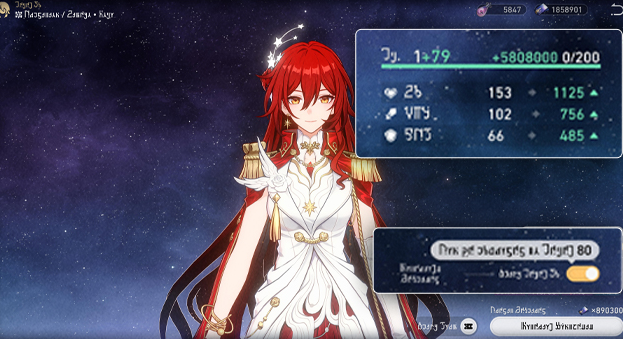
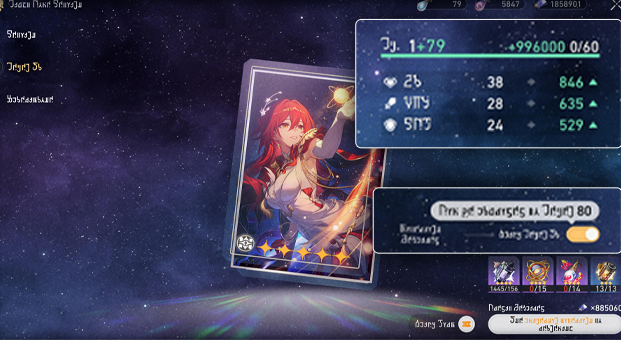
The universe-famous hacker Silver Wolf LV.999 once said: “When are we gonna get a 'Level Up All' button?” Now this feature is here.
2. Achievement System Optimization
In previous versions, Stellar Jades from achievements had to be claimed one by one. But each individual achievement only gives a small amount of Stellar Jade, making it quite troublesome. After the version 4.4 update, on the main interface of the Achievements page, you can click the [One-Click Claim Rewards] button in the lower right corner to directly claim all currently available achievement rewards.
For those who have accumulated many unclaimed achievement rewards before, now you can claim them all with one click.
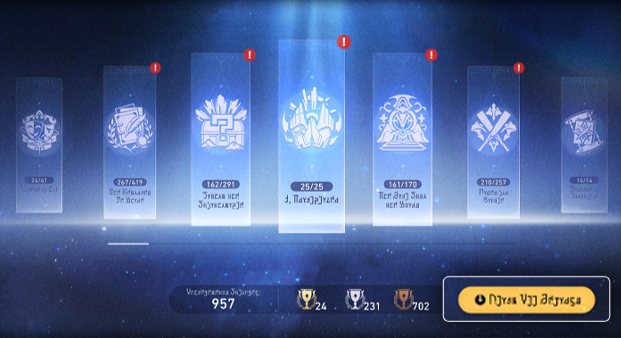
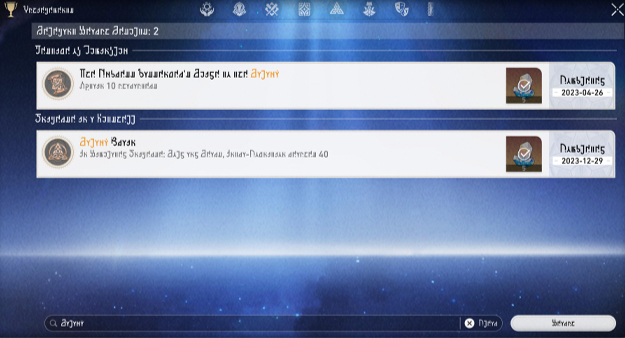
In the Achievement system, you can also enter keywords in the search bar at the bottom of the interface to search for achievement names, making it faster to find the achievement you want to view.
3. Profile Picture Categories
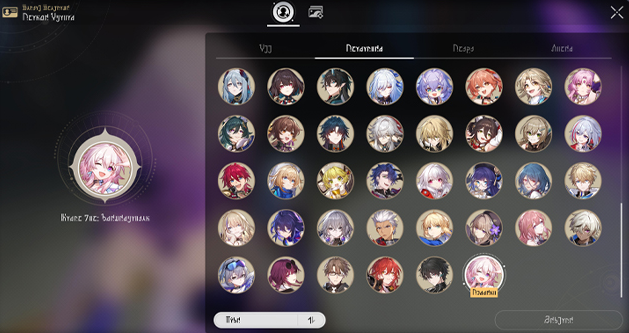
In the previous profile picture change interface, all profile pictures were placed together, making it impossible to quickly find the one you wanted to change to. After the version 4.4 update, in the new profile picture change interface, profile pictures will be divided into several categories, making it easier to find the one you want to change to more quickly.
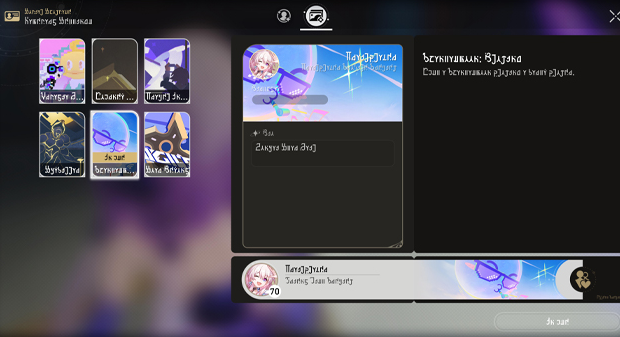
Previously, the namecard settings interface was hidden very deep, making it troublesome to find. After the version 4.4 update, from the profile picture change interface, you can quickly switch to the namecard settings interface and quickly set your current namecard.
4. Relic Convenient Enhancement
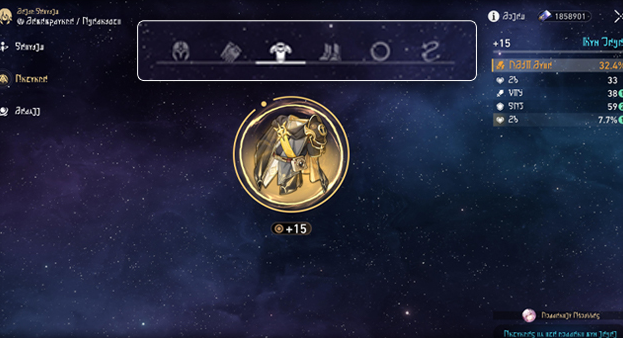
After the version 4.4 update, when enhancing relics, you can quickly switch among equipped relics of the same character and perform enhancement and other operations.
This doesn't feel like a big impact; originally, when switching relic slots, the equipped relics would also be locked first. But after the update, the interface looks clearer and more intuitive.
These optimizations are all very good, especially the one-click level-up optimization for characters and Light Cones, making character training faster. So which optimization in version 4.4 do you like the most? Feel free to share~