Official Honkai: Star Rail Boothill Mechanical Keyboard
- Vendor: Honkai: Star Rail Official Merchandise
Product Specifications
- Specifications: 97-Key Tri-Mode Wireless Mechanical Keyboard
- Dimensions: Approx. 15.27 × 5.63 × 1.61 in (38.78 × 14.30 × 4.08 cm)
- Keyboard Body Material: ABS
- Keycap Material: PBT
- Transparent Keycap Material: PC
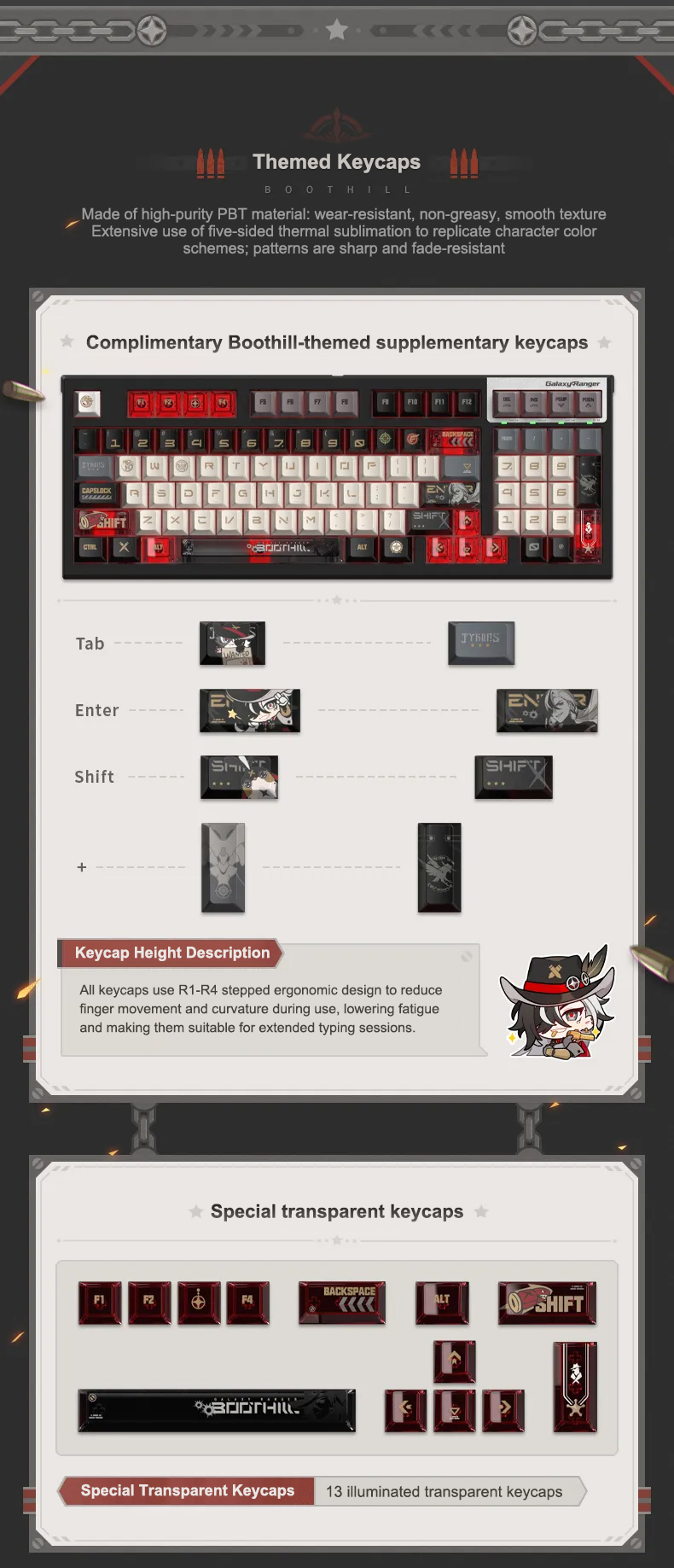
- Keycap Craftsmanship: Five-Sided Dye-Sublimation, Multicolor Silkscreen
- Keycap Profile: Ergonomic R1-R4 Stepped Profile
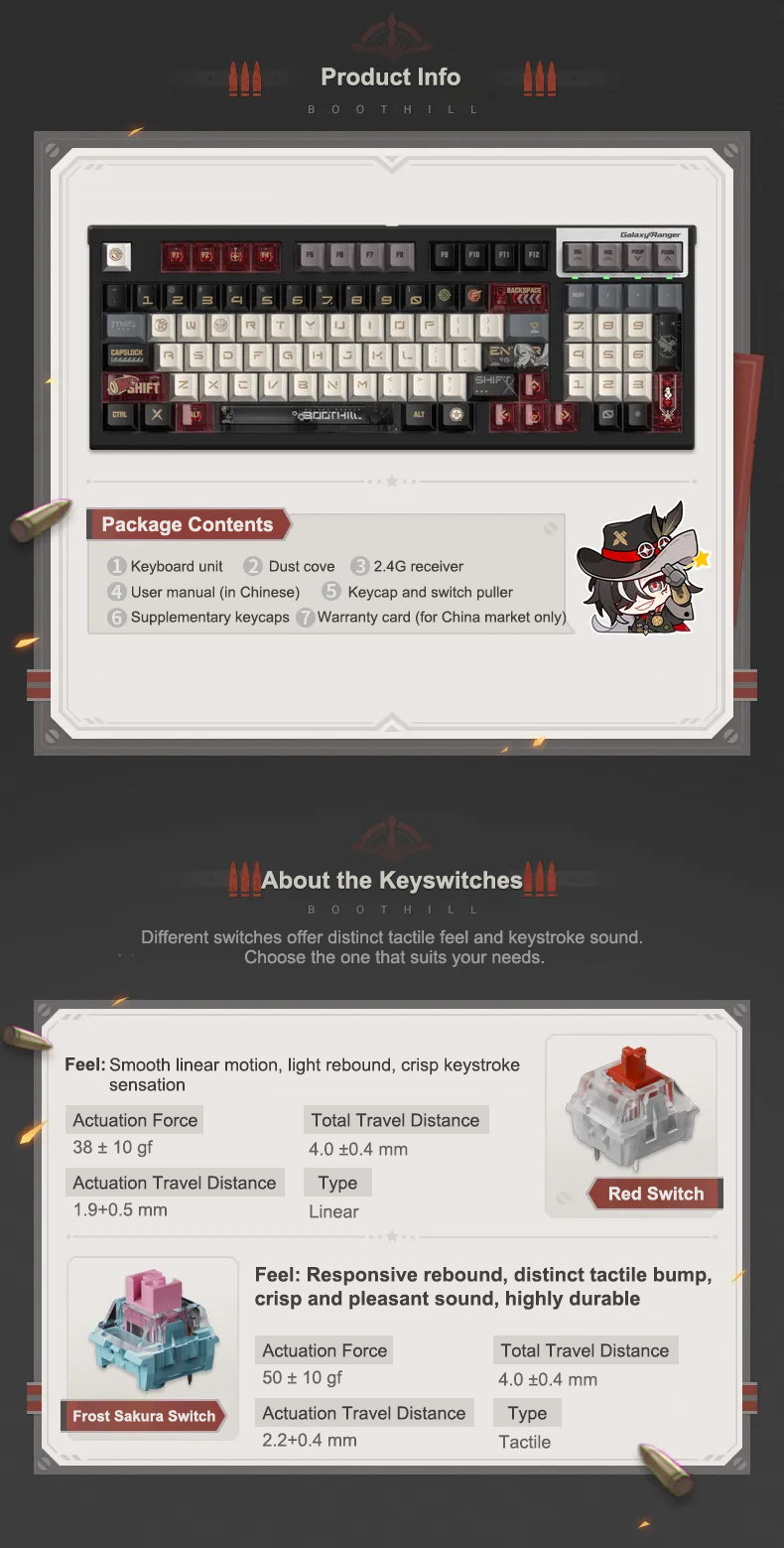
- Switch Options: Red Switch (Linear) / Frost Sakura Switch (Tactile)
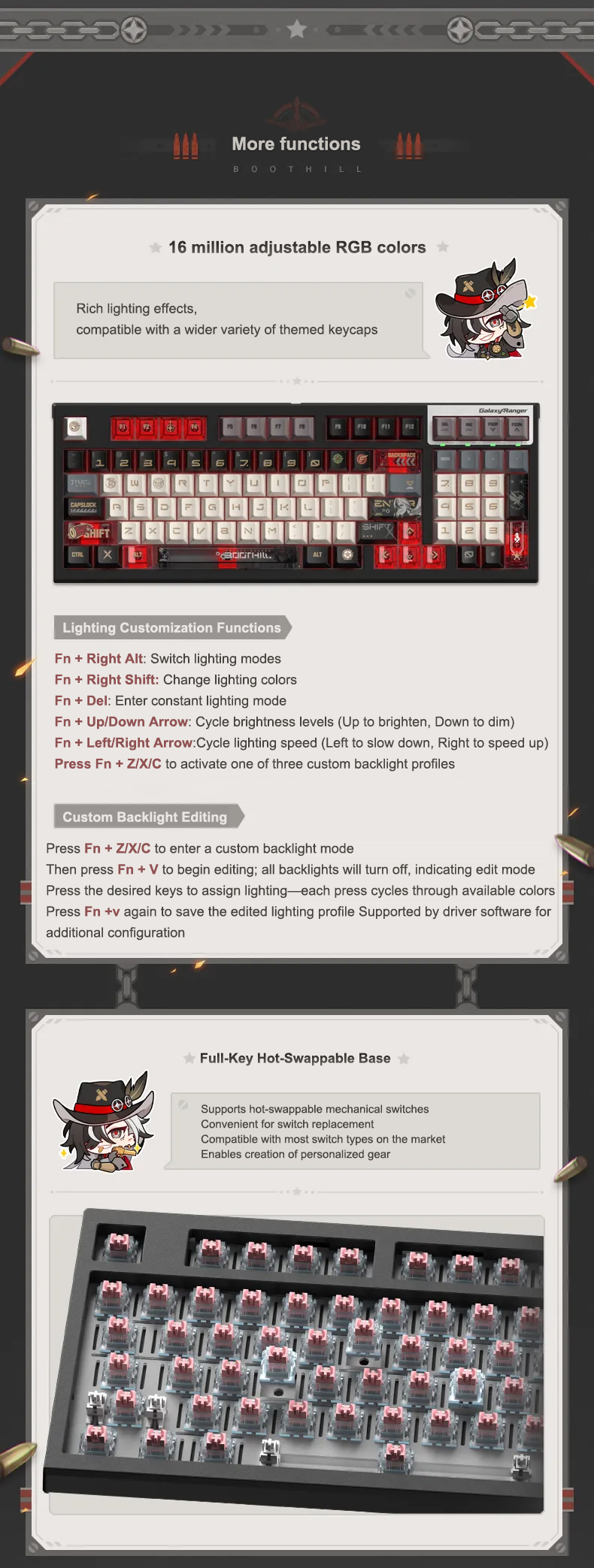
- Hotswap Sockets: FL CMMK Hot-Swappable Sockets
- Battery Capacity: 3000mAh
- Backlight Mode: 16.8 Million Color Customizable RGB
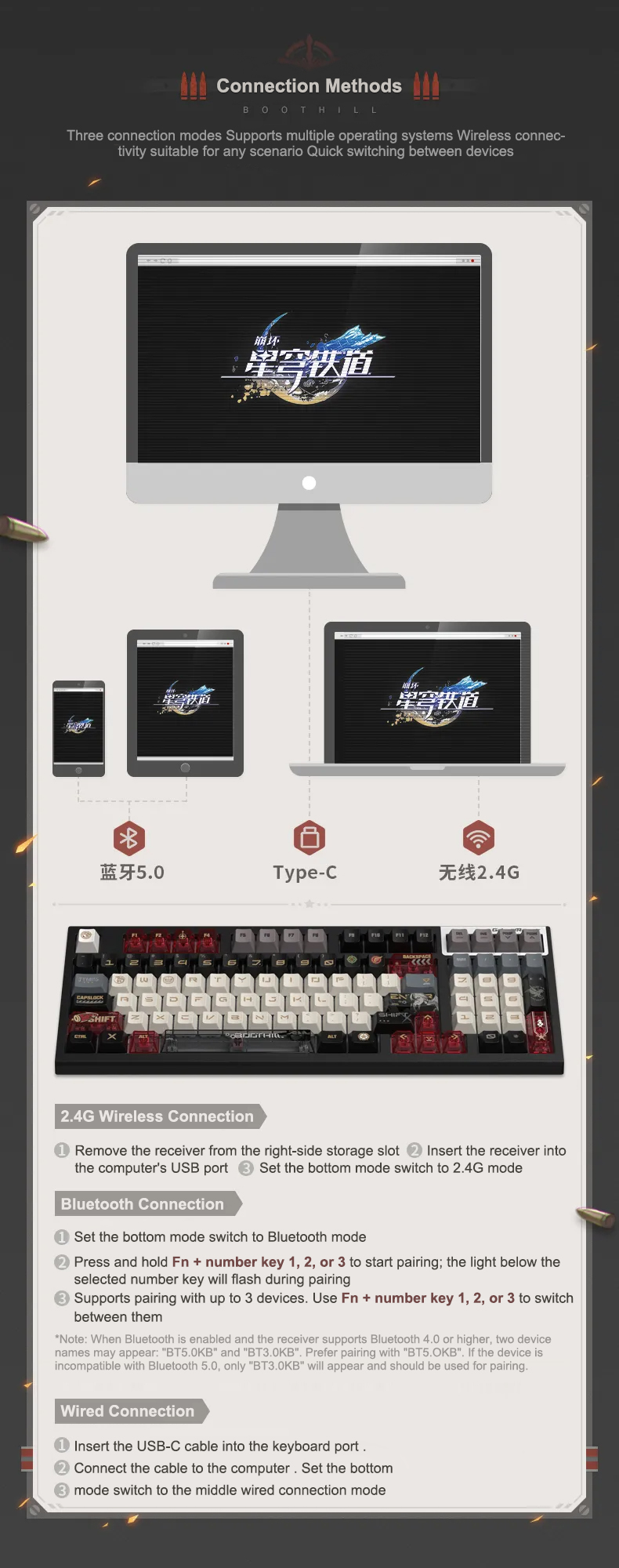
- Connection Modes: Bluetooth 5.0 / 2.4GHz Wireless / Type-C Wired
- System Compatibility: Windows / MacOS / Android
- Package Contents: Keyboard Body, Dust Cover, 2.4G Receiver, User Manual, 2-in-1 Keycap & Switch Puller, Novelty Keycaps, Warranty Card
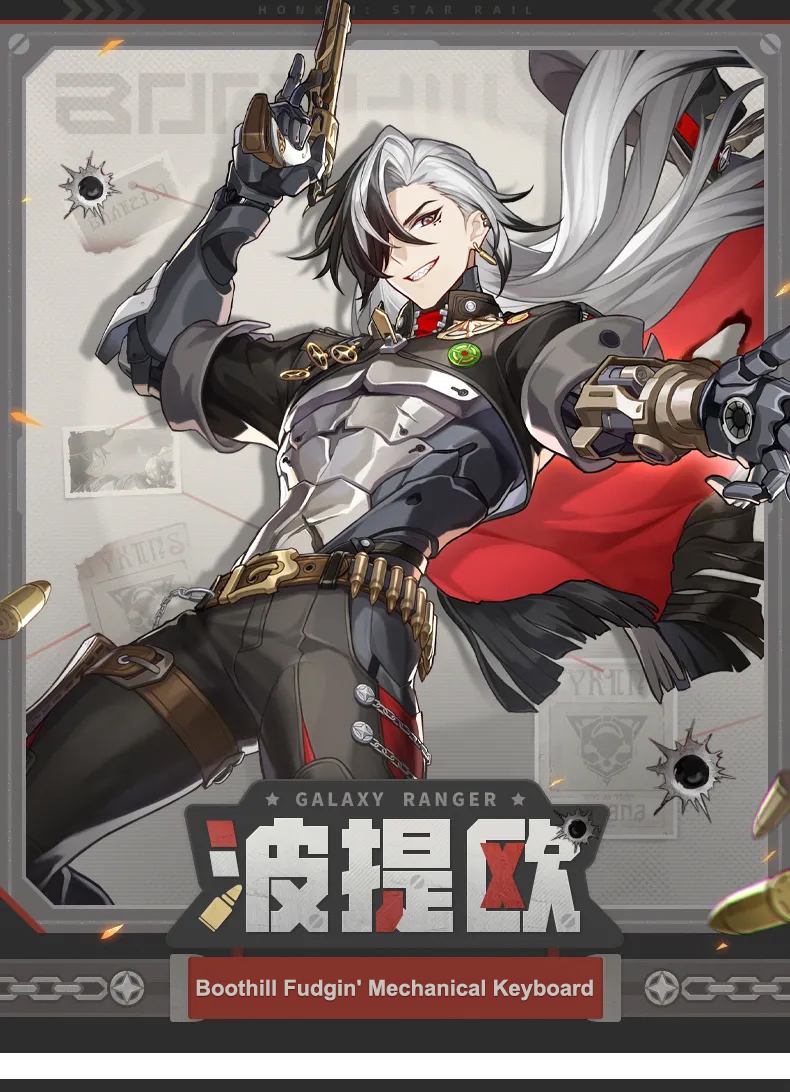
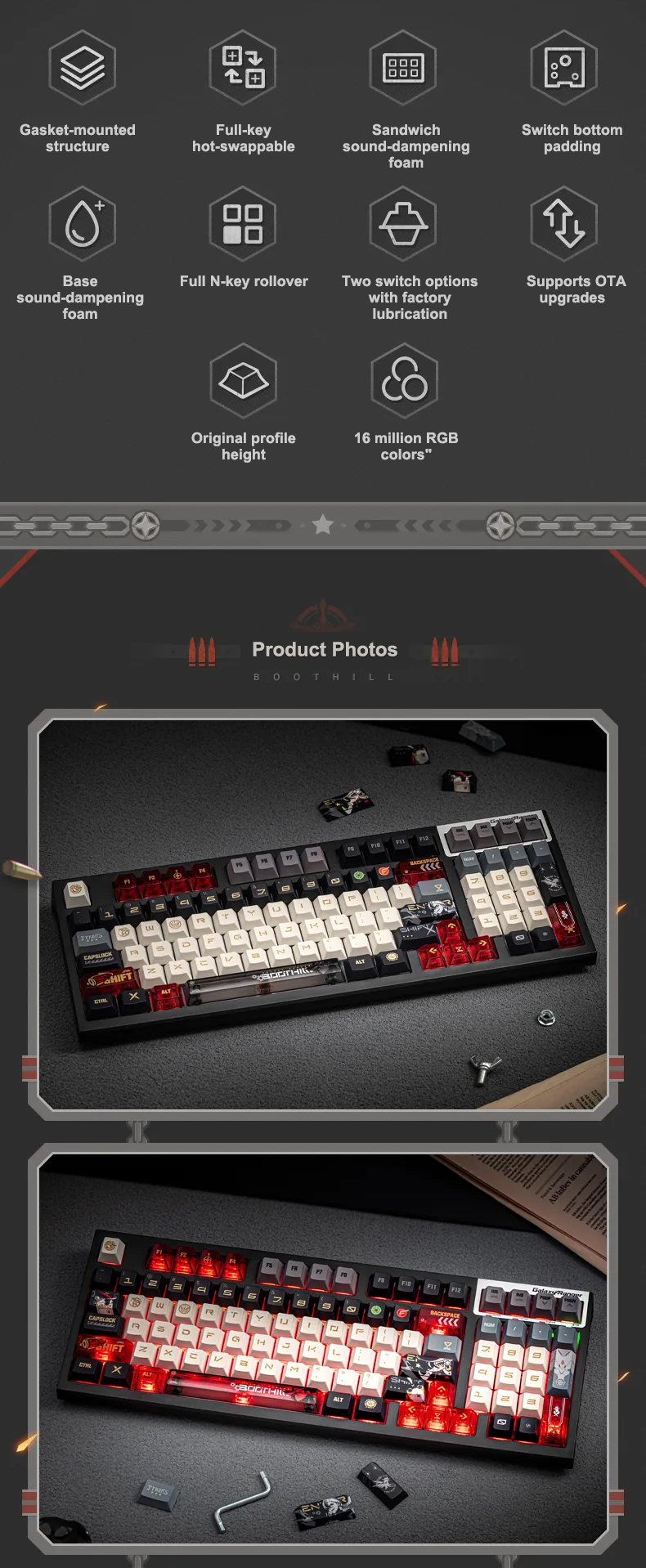
Inspired by the Galaxy Ranger Boothill, this compact 97-key mechanical keyboard features full N-Key rollover and a bold black, white, and crimson palette that channels interstellar cowboy attitude.
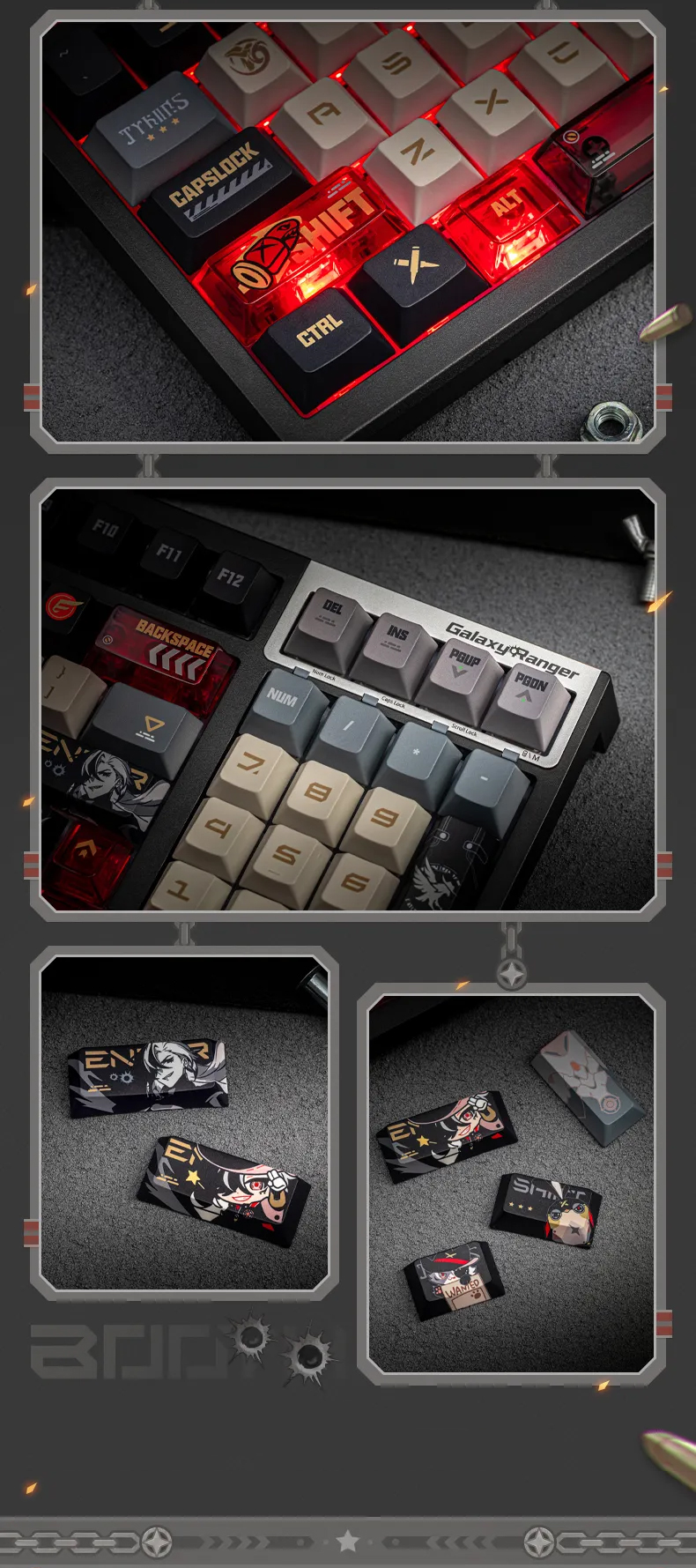
Crafted from high-purity PBT material that resists oil and shine, the keycaps feature vibrant five-sided dye-sublimation graphics. The set includes custom Boothill novelty keycaps featuring his chibi avatar, wanted poster motifs, and cybernetic firearm insignias.
Features 13 custom translucent PC keycaps covering the arrow keys, spacebar, and function rows, allowing the customizable 16.8 million color RGB backlighting to shine through brilliantly.
Available with smooth, lightweight linear Red Switches or crisp, responsive tactile Frost Sakura Switches, paired with FL CMMK hot-swappable sockets for effortless switch customization.
Offers tri-mode connectivity via Bluetooth 5.0, 2.4GHz wireless, and Type-C wired modes, backed by a 3000mAh battery and dual-stage kickstands for seamless multi-device switching.
Care Instructions:
- The mechanical keyboard is not waterproof or dustproof; please handle with care during use and keep the dust cover on when not in use.
- Keycaps can be cleaned using mild neutral detergent. Do not use alcohol or harsh chemical cleaners on transparent keycaps. You may remove keycaps and wash them with dish soap, but ensure they are completely dry before reattaching, especially around the cross-stem on the underside.
- When cleaning the keyboard, gently brush away surface dust with a soft brush. Do not wipe the UV-coated casing with alcohol, and avoid prolonged exposure to direct sunlight or high temperatures.
![[Official Merch] Honkai: Star Rail Boothill Mechanical Keyboard](https://img-va.myshopline.com/image/store/1753857944249/SKU01-225.jpg?w=800&h=948)
![[Official Merch] Honkai: Star Rail Boothill Mechanical Keyboard](https://img-va.myshopline.com/image/store/1753857944249/ZT05-379.jpg?w=800&h=948)
![[Official Merch] Honkai: Star Rail Boothill Mechanical Keyboard](https://img-va.myshopline.com/image/store/1753857944249/ZT03-443.jpg?w=800&h=948)
![[Official Merch] Honkai: Star Rail Boothill Mechanical Keyboard](https://img-va.myshopline.com/image/store/1753857944249/ZT01-511.jpg?w=800&h=948)
![[Official Merch] Honkai: Star Rail Boothill Mechanical Keyboard](https://img-va.myshopline.com/image/store/1753857944249/ZT02-440.jpg?w=800&h=948)
![[Official Merch] Honkai: Star Rail Boothill Mechanical Keyboard](https://img-va.myshopline.com/image/store/1753857944249/ZT04-420.jpg?w=800&h=948)
![[Official Merch] Honkai: Star Rail Boothill Mechanical Keyboard](https://img-va.myshopline.com/image/store/1753857944249/SKU01-225.jpg?h=948&q=100&w=800)
![[Official Merch] Honkai: Star Rail Boothill Mechanical Keyboard](https://img-va.myshopline.com/image/store/1753857944249/ZT05-379.jpg?h=948&q=100&w=800)
![[Official Merch] Honkai: Star Rail Boothill Mechanical Keyboard](https://img-va.myshopline.com/image/store/1753857944249/ZT03-443.jpg?h=948&q=100&w=800)
![[Official Merch] Honkai: Star Rail Boothill Mechanical Keyboard](https://img-va.myshopline.com/image/store/1753857944249/ZT01-511.jpg?h=948&q=100&w=800)
![[Official Merch] Honkai: Star Rail Boothill Mechanical Keyboard](https://img-va.myshopline.com/image/store/1753857944249/ZT02-440.jpg?h=948&q=100&w=800)
![[Official Merch] Honkai: Star Rail Boothill Mechanical Keyboard](https://img-va.myshopline.com/image/store/1753857944249/ZT04-420.jpg?h=948&q=100&w=800)